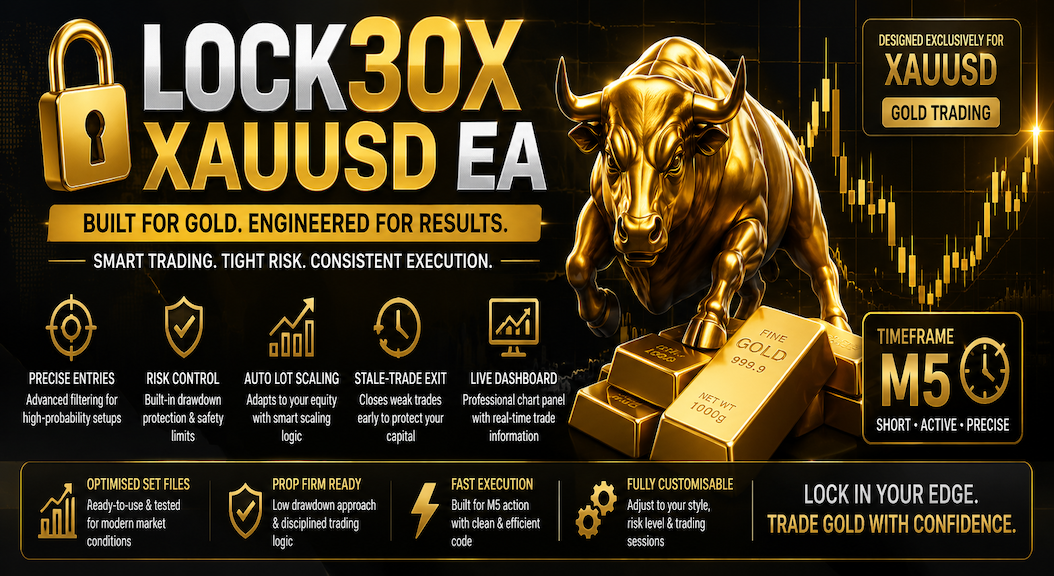
Lock30x is trading software for Gold: an Expert Advisor for MetaTrader 5 and a separate cBot for cTrader. It checks its configured entry conditions and manages trades using the settings you choose. Start with your platform, review the evidence, then test the exact package with your broker.
The v2.910 interface shows Range, Sessions, Portfolio and Core engines, with account monitoring and engine-level trade information. Check the version delivered by MQL5 and its matching inputs before testing.
Review the loaded direction, session and sizing inputs.
Use the MT5 Strategy Tester with your intended broker data.
The current Store description combines Range, Sessions, Portfolio and Lock30x Core engines. Each has its own settings; all share account equity, margin and exposure.
Review every enabled engine's sizing and loss controls.
The Core's Manual Lot Multiplier does not size the other engines.
MT5 v2.910 interface supplied by the developer on 23 October 2026; this does not establish the version currently delivered by MQL5. cTrader listing details were checked 14 October 2026. Confirm the current package, price and access options in the official Store. Store buttons open a new tab.
MT5 tutorial · v2.910 reference
Lock30x MT5: your first backtest
The October 2026 illustrated tutorial covers build identity, the broker symbol, fixed inputs, costs and saved reports. Confirm the delivered MQL5 version. It is a setup checklist, not a performance demonstration of the current package.
This 95-second illustrated guide explains Store release 4.0 versus panel v2.90, engine-specific sizing, broker checks and updating an older instance. The interface reference is a selected historical moment with identifiers edited for privacy. It is not a new backtest, a completed result or live performance.
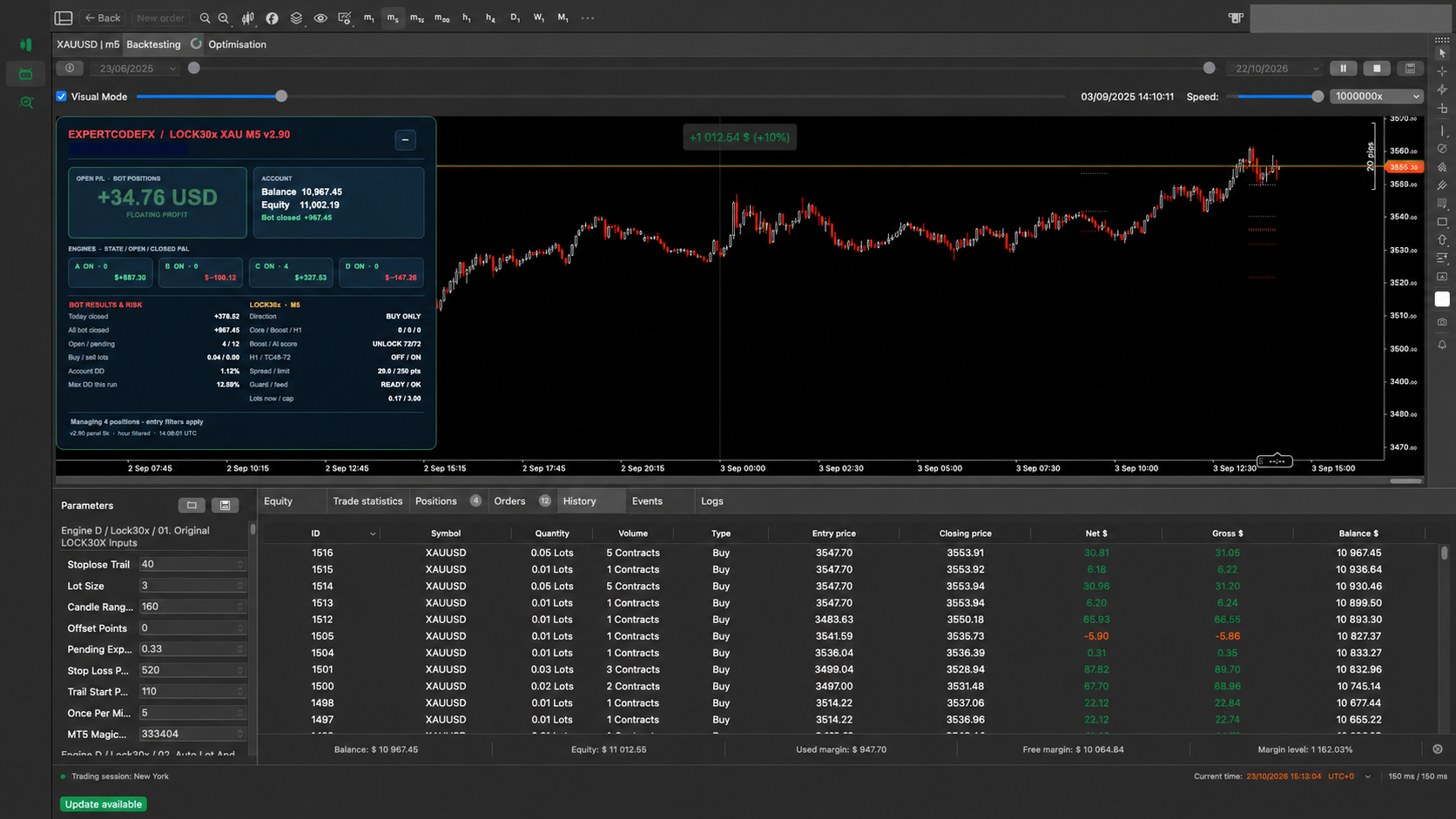
This newer walkthrough shows the v2.90 interface and engines A–D during a historical simulation in progress. The Store package is release 4.0; panel and package labels are separate. It is not a completed final test or verified live performance.
The Store's Version history lists release 4.0, dated 10 October 2026, for the four-engine upgrade. The listing title still includes v2.75 and its description refers to v2.90. Record the Store release and the version shown by your installed cBot before using a preset or comparing a video.
A published release is not proof of performance under your settings. Older videos and the MT5 report below do not validate the current cTrader package. Save your existing parameters and review the update instructions before replacing an older instance; avoid running old and new versions together on the same account and symbol.
Open bot P/L, account balance and equity, engines A–D, bot results and risk, spread, guard and entry status are grouped into the supplied interface. The panel version and the Store's release number are separate labels; confirm both on your installed package.
Selected moment during a cTrader visual backtest, supplied 24 October 2026. AI-edited to hide account identifiers. The positive figure shown is a snapshot, not the final or overall test result; drawdown and losing trades remain visible. This interface preview is not a verified performance record. Open full size ↗
Evidence at a glance
Know which platform and period you are reviewing
Historical MT5 demo account
7–14 July 2026 · BlackBull demo
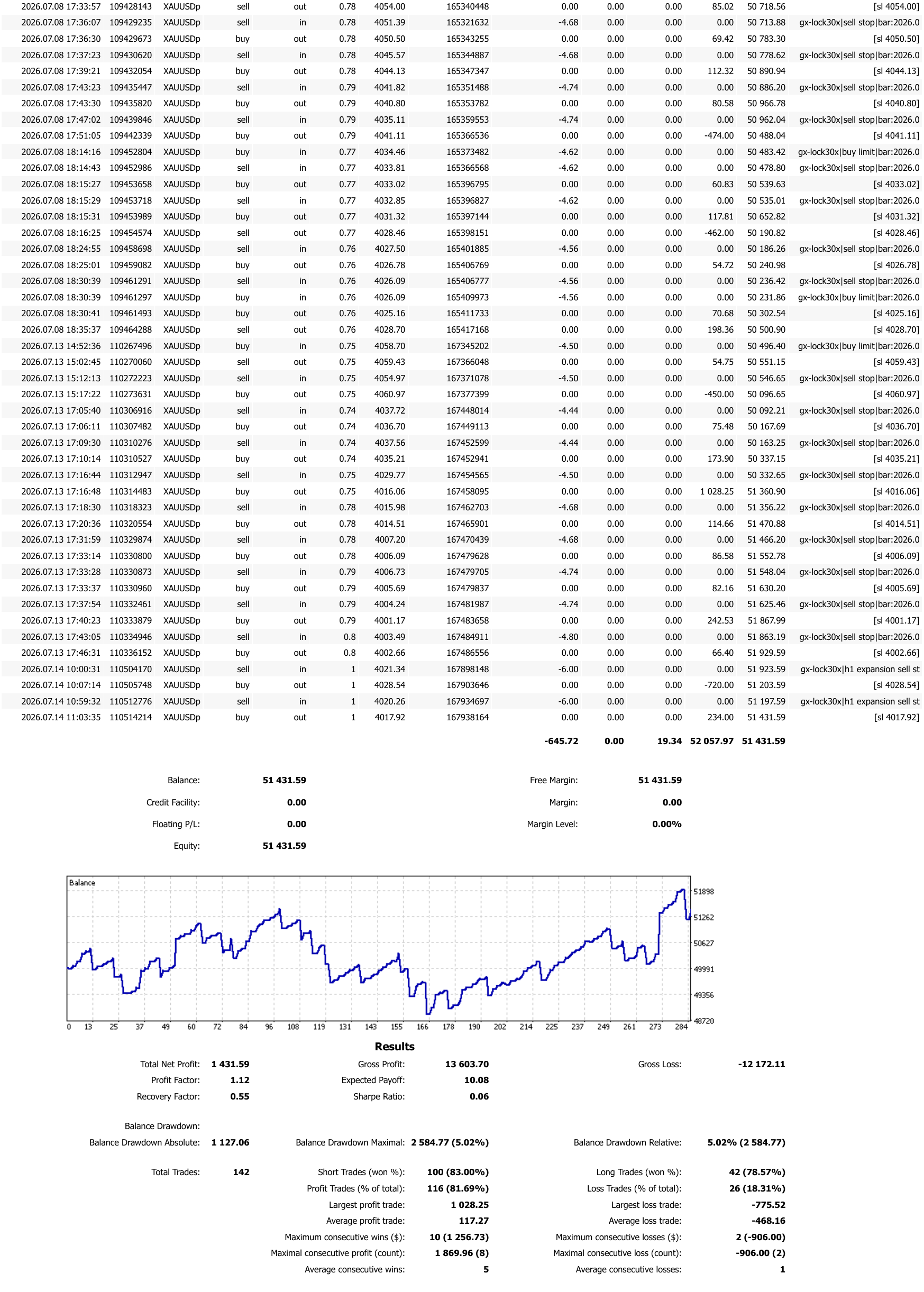
Complete trade history and a balance-based summary. This is a one-week demo observation, not a Strategy Tester run or a live-account result. The public report does not establish the exact EA build and preset.
On the cTrader listing, distinguish backtest figures from the Live stats tab. Check dates, drawdown, open positions and the available version/settings context before comparing them with your own test.
Start with the correct symbol and conservative risk
Confirm the broker's XAU symbol, contract size, tick size, spread, commission and server time. Backtest with the intended platform and broker data, then demo forward test before live trading.
The 48-second phone screen recording shows the Lock30x MT5 EA trade history from a BlackBull Markets $50,000 demo account. The privacy-safe full PDF report and its complete result summary are published directly below.
Demo and historical results are not live performance and do not guarantee future results.
BlackBull MT5 demo account · 7–14 July 2026
$50,000 demo history: +$1,431.59 net.
This is a short-duration MetaTrader 5 demo-account history exported on 15 July 2026—not a Strategy Tester backtest and not a live-account result. The figures below match the attached BlackBull report and include winning and losing trades. They do not establish the performance of the MT5 v2.910 build or the cTrader release 4.0 package.
Total net profit+$1,431.59Final balance $51,431.59Profit factor1.12Gross profit $13,603.70Max balance drawdown5.02%$2,584.77 maximal drawdownTotal trades142100 short and 42 long tradesProfit trades81.69%116 winners and 26 lossesTrading costs-$645.72Commission; swap +$19.34
The public PDF preserves the complete trading history and results while withholding the account holder's name and account number. The one-week observation window is too short to establish long-term robustness; broker execution, market regime, settings and costs can materially change future outcomes.
Report summary and balance curve. Open the PDF for the complete positions, orders and deals.
Read the result in context
A high win rate is only part of the result
Wins and losses have different sizes
The report's average winning trade is $117.27 and its average losing trade is $468.16. The 81.69% win rate therefore needs to be read alongside the 1.12 profit factor and the full sequence of losses.
Balance drawdown is not equity drawdown
The reported 5.02% is maximum balance drawdown. It does not establish the worst floating-equity drawdown during open trades. One week of demo history cannot establish long-term robustness or a suitable account size.
Before relying on a result: match the software build, saved inputs, broker symbol, dates and trading costs, and retain the completed report. Use a separate demo test to observe execution.
Look at the complete equity curve, profit factor, trade count, maximum balance and equity drawdown, costs, testing period and broker assumptions together.
No. Choose the edition for your platform and review its own Store access terms. A preset or result from one platform does not transfer to the other.
Does the July demo report prove today's version will perform the same?
No. It is historical MT5 demo-account evidence with a short observation window. The exact build and effective preset are not established by the public PDF, and broker conditions and settings can change outcomes.
What should I check before buying?
Confirm the platform, current Store version, price and demo or rental terms. Then review the setup guide and plan a test using your broker's exact symbol, realistic costs and saved inputs. Read the demo evaluation guide.
Automated trading involves substantial risk. Historical and simulated performance does not guarantee future results. Broker execution, data, costs, leverage and user settings can materially change outcomes. Test independently and never risk money you cannot afford to lose.